
Applies to: Timepage on iPhone and iPad.
Timepage offers a wide range of home-screen and lock-screen widgets — from your full day to a single countdown — and you can size and style each one to match your setup. This page lists every Timepage widget and its options; for the general steps to add, edit, or stack a widget on your device, see how to add and edit widgets.
You can choose from different sizes, and colours can either match your app theme or be set for each widget individually.
Getting started
- Ensure you have updated your devices to the latest operating system by following the Apple instructions here.
- To add widgets to your home screen, tap and hold an empty area until the app icons jiggle, then press the + button and select Timepage from the list (detailed instructions here)
Today widget
Tap an event to open it directly in Timepage and tap an Action to open it in Actions. You can customise the theme in the widget settings and choose whether to display Actions for small, medium and large sizes. Events will automatically remove themselves once they have passed. Supports date navigation and custom calendar selection.
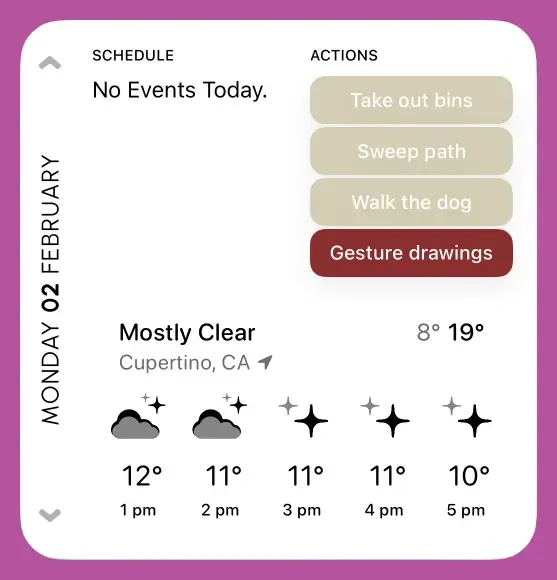
- Small: Compact today view. Tapping takes you straight to today in Timepage.
- Medium: Date on the left, upcoming events, and first three scheduled Actions on the right.
- Large: Date, schedule, actions, and weather. Tap each section to open in the app.
- Extra large: Full today experience with events, weather, actions, and heatmap view.
Weather widget
Conditions for your current location with customisable theme. Updates hourly.
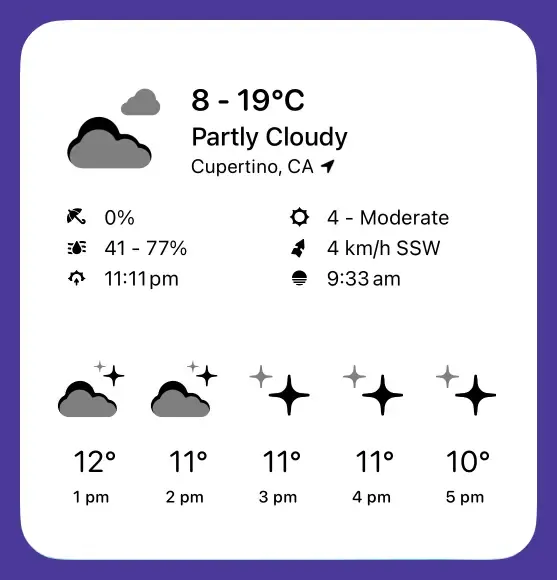
- Small: Current temperature and conditions.
- Medium: High/low, humidity, and forecast for the day; detailed conditions for the next five hours.
- Large: Hourly forecasts and daily summaries with detailed weather information.
Heatmap widget
The heatmap shows you how busy or available you are at a glance by how strongly the date circles are represented. Tap any date to open it in Timepage. Color intensity indicates event count.
Options:
- Theme: match the current Timepage theme, or choose a theme just for this widget
- Calendar: use the existing visible calendars from Timepage, or select a custom group of calendars.
- Show All Day events
- Show Week Numbers
- Show Month Title
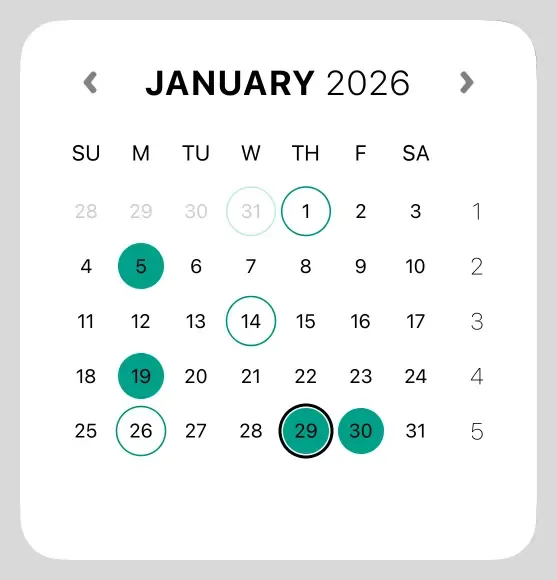
- Medium: Two weeks at a glance.
- Large: Full month view.
Countdown widget
The countdown widget is a great way to look forward to exciting upcoming events, right on your home screen. You can choose the event directly from the widget editor, as well as a matching icon and theme. When your event has been completed, you can choose to show the time passed since the event occurred.
You can configure the countdown widget to be connected to an existing calendar event in Timepage by selecting “Search” in the Event Picker option then tapping “Event - Choose”.
Alternatively, you can select “Custom” for Event Picker and enter event details straight into the widget. For “Custom Event Date” type the exact date and time you want to count down to, e.g. “1/12/23 7 pm”. The subtitle text will confirm your entered date.
- Choose an icon from the list to be displayed on the widget
- Select a custom theme (default will use Timepage theme)
- Allow the widget to automatically show the time since the event has occurred by enabling “Past events count-up”
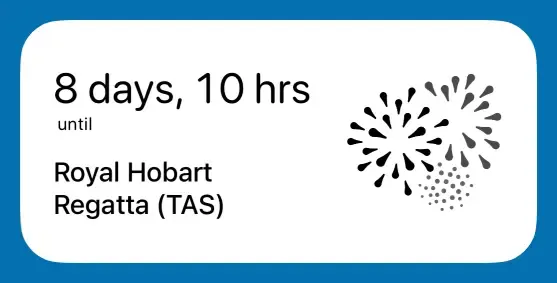
- Medium: Countdown to a chosen event with icon and theme.
Add New Event widget
This widget is the quickest way to add a new event to your calendar. You can choose which calendar the button adds the event to, with up to three configurable buttons for the medium size. Calendar icons use theme or calendar colors.
- Choose whether to use a plus icon or Timepage icon for the button
- Toggle the “Open Date Picker” option to show date selection first when the button is tapped. If this is disabled, the quick add will default to adding an event to the current day.
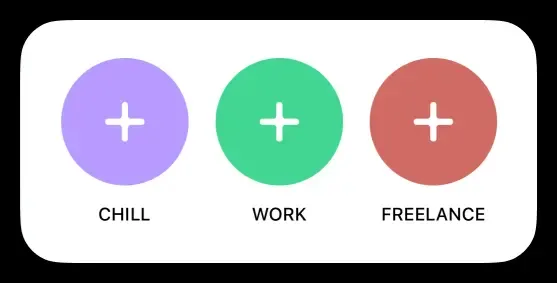
- Small: Single button to add an event.
- Medium: Up to three configurable buttons for different calendars.
- Accessory circular: Compact add button for lock screen or Dynamic Island.
Upcoming Event widget
See the next event on your calendar with time and attendee initials. Weather conditions are shown, along with travel time estimates. Choose your travel mode (drive, bike, walk) for travel time estimates. Supports custom calendars.
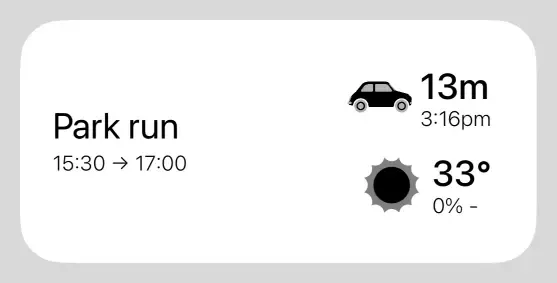
- Small: Next event with time, attendee initials, weather, and travel time.
- Medium: Same with more space for details.
- Accessory (Lock Screen): Inline and rectangular widgets showing your next event.
Travel Time widget
See how long it will take to travel to your next event. Choose your preferred transport method from the settings (drive, bike, walk). Enable “Advanced Travel Modes” for some whimsical fun.
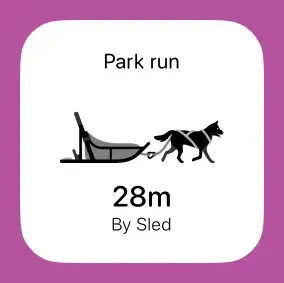
- Small: Travel time to your next event with chosen transport method.
Time widget
You can choose whether the time is shown with an analogue or digital face, customise the theme and toggle whether the day name is shown. Updates every minute.
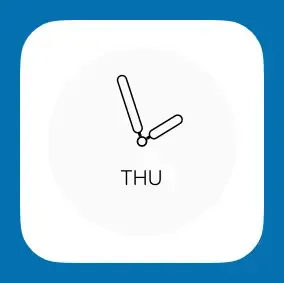
- Small: Analogue or digital face; optional day name.
Day widget
This widget shows the current day name with optional date and custom theme. Supports alternative calendars (Islamic, Chinese Lunar, etc.).
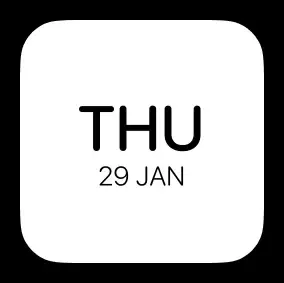
- Small: Current day name with optional date and custom theme.
Date widget
A small size widget that shows the current date. You can choose whether to show the month name, which theme to use and whether to use an alternate calendar (Chinese Lunar, Hebrew or Islamic). Updates daily.
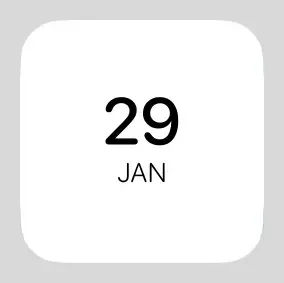
- Small: Current date with optional month name and alternate calendar.
Month widget
A calendar month view with your events. Shows 1–4 weeks with event indicators depending on the size. Tap any date to open it in Timepage. Supports date navigation, custom calendars, and all-day event filtering.
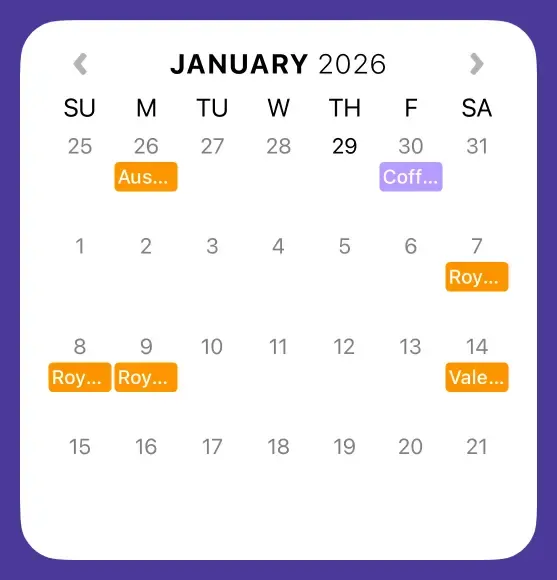
- Medium: 1–2 weeks with event indicators.
- Large: More weeks with event indicators.
- Extra large: Full month (up to 4 weeks) with event indicators.
Week widget
See your whole week at a glance, with events for each day.
- Large: Full week view with events for each day.
This Day in History widget
Enjoy learning about significant historical events that happened on this day. Displays year and event description. Updates daily.

- Small: Single historical event for today.
- Medium: More events or detail.
- Accessory inline: Compact line for lock screen or Dynamic Island.
Event Countdown (Live Activity)
Live Activity countdown to next event on lock screen and Dynamic Island. Shows countdown timer, event details, and calendar color. Supports watchOS Smart Stack. Updates in real time.
- Lock screen & Dynamic Island: Countdown to next event (iOS 16.2+).
Controls (iOS 18)
Timepage also offers Control Center and Lock Screen controls on iOS 18:
- Add New Event: Quickly add a new event.
- Open Today: Jump straight to today in Timepage.
- Event Countdown: See a live countdown to your next event.
Related:
- Adding and Editing Widgets
- Widgets are blank or not displaying correctly
- Gestures on Events and Actions
- Navigating Day View
- Navigating Heat Map