You don’t have to choose between a physical planner board and a digital family calendar — you can have both. Whether you use a family organizer app, a calendar app for families, or a general shared calendar, the same idea applies: each has its own strengths, and pairing them covers each other’s weaknesses.
Choose the right wall board + app combo
Start by picking a wall planner that can keep up with your digital family calendar. You want fast edits, colour clarity, and enough space for stickers and notes.
- A magnetic whiteboard or acrylic panel for quick rearranging.
- Vinyl tape or washi lines to match your digital family calendar’s colour coding.
- Icon magnets for meals, rides, bills, and downtime.
To keep things simple, start with a large wall calendar and some fun stickers to mark things during the week.
Make your digital family calendar the main place you edit things
Keep every event inside your shared calendar app. Think of the wall planner as the big display, not the master list.
- Create a shared calendar for each person, plus a family-wide calendar, all in your digital family calendar.
- Take advantage of your digital family calendar’s natural language input so updates take seconds.
- Add an emoji to events that match the magnets or stickers on the board.
Having everything recorded across all our calendars in one place helps catch conflicts before they become problems.
Update the board in five minutes a day
Even just five minutes a day can keep the board and the app matching. Doing it at the start or end of the day helps catch conflicts before they become problems.
- Set a reminder in your digital family calendar to “Update the board” right after dinner.
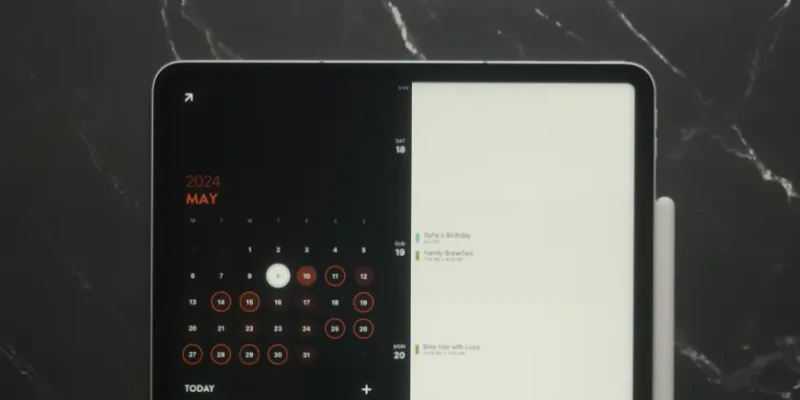
- Drag events forward or back on the board while checking current day in your app of choice. In Timepage, use the Day View.
- Note any new paper-only items and add them to your digital family calendar on the spot.
Some family members may love to run this little update, and that’s totally fine — but you can also rotate whose turn it is for the week so everyone gets a say.
Give kids a hands-on spot
For younger kids, use stickers and magnets to mark things off the board. This gets them involved in planning and helps them remember their own jobs.
- Assign each kid a colour-coded magnet or a type of sticker that matches their digital family calendar.
- Use mini chore cards and add them to your digital family calendar (or as tasks in Actions).
- Let kids swap their magnets into “Done” or “On Deck” zones. If you’re using stickers, use a different colour for each zone.
Wrap up each week
End every week with a five-minute check-in that lives inside something like Timepage notes and on the board.
- Write down what went well, what didn’t, and what you want to try next right in the event notes.
- Reset the board columns while duplicating recurring events in your digital family calendar.
If you’re interested in more productivity tips, check out this article on the family planner that sticks every week.
When your digital family calendar and the wall planner work together, everyone sees the plan in the way they prefer. The app keeps the details correct, the wall keeps it visible, and nobody misses the memo.