One iPhone. Two screens. Three apps.
Timepage, Actions and Flow, reimagined for iPhone Duo. Everything you love on the outside. Even more on the inside.


%20-%20Open%20Landscape%20(with%20Week%2C%20Orange).webp)
%20-%20Closed%20Portrait.webp)
As featured by Apple: Great Apps on iPhone Duo
With both an inner and outer display, iPhone Duo opens up entirely new app experiences. Here are a few standouts we've found for getting the most out of the first foldable iPhone.Great Apps on iPhone Duo →
Made to measure. Twice.
Every app is laid out for both displays, so nothing feels cramped closed or stretched open.
%20-%20Closed%20Portrait.webp)
%20-%20Open%20Landscape%20(with%20Week%2C%20Burgundy).webp)



Timepage
Your week, unfolded.
Closed, it's the calendar you know by heart. Open it, and your day sits right beside your week.
- Hourly forecast beside your plans
- Next week, forecast included
- Two Timepage windows, side by side
- Desk mode lets you put your phone down
Timepage
Your week, unfolded.
Closed, it's the calendar you know by heart. Open it, and your day sits right beside your week.
- Hourly forecast beside your plans
- Next week, forecast included
- Two Timepage windows, side by side
- Desk mode lets you put your phone down
.webp)

Actions
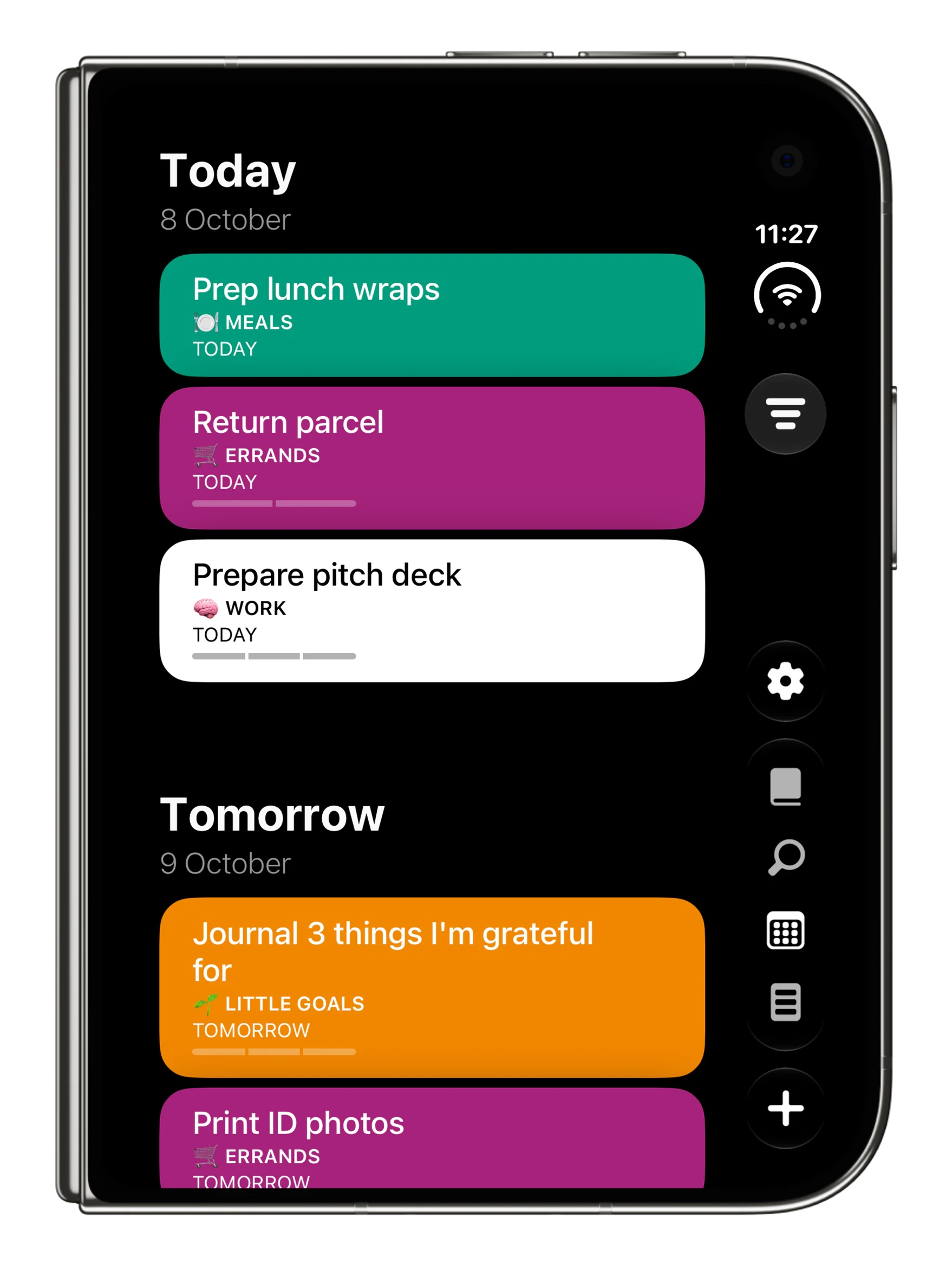
Today on the left. The rest on the right.
Unfold iPhone Duo and your lists sit right beside today. Plan on one side. Get it done on the other.
- Today and tomorrow beside any list
- Your whole day on the outer display
- Shared lists for the whole household
- Side by side with Timepage
Actions
Today on the left. The rest on the right.
Unfold iPhone Duo and your lists sit right beside today. Plan on one side. Get it done on the other.
- Today and tomorrow beside any list
- Your whole day on the outer display
- Shared lists for the whole household
- Side by side with Timepage
%20-%20Open%20Landscape.webp)


Flow
It opens like a notebook. Now it is one.
Sketch on the outer display. Open it up, and the page doubles.
- The full toolbar on both displays
- Notebook covers you design yourself
- Apple Pencil support, later this year
- Syncs with iPad, viewable on the web
Flow
It opens like a notebook. Now it is one.
Sketch on the outer display. Open it up, and the page doubles.
- The full toolbar on both displays
- Notebook covers you design yourself
- Apple Pencil support, later this year
- Syncs with iPad, viewable on the web
Split View
Two's company. Three's a Bundle.
Timepage and Actions to plan the week. Timepage and Flow for meeting notes. Flow and Actions to sketch the idea and list the steps. Or two Timepage windows at once. All three, one price.
Get the Bonobo Bundle →