We just shipped a big iOS27 update for Actions and Timepage. You can talk to both apps with Siri, there’s a new full-screen Extra Large widget, and we rewrote every Shortcut from scratch. Here’s what changed.
Plan and do, just by asking
We love what you can do with voice control in iOS27. Add a task, check your schedule, reschedule an event, or tick something off without opening either app. Siri runs on App Intents, so it knows what’s on screen and can hand off between apps. Ask about Saturday in Timepage, then create the prep tasks in Actions without starting over.
Both apps also get an Extra Large Home Screen widget and a fresh set of Shortcuts. Details below.
What’s new in Timepage 5.1
Timepage 5.1 gets Siri and widget updates, plus a redesigned Daily Briefing.
Talk to Timepage with Siri
Timepage now works with Siri, so you can plan your day and week just by asking.
- Ask what your day or week looks like. “What’s on in Timepage this week?”
- Check availability in plain language. “Check in Timepage what I’m doing on Saturday afternoon.”
- Add events by voice. “Put dinner with Nathan in Timepage for Friday at 7.”
- Follow up naturally. Siri remembers what you were talking about, so “move the party to Sunday” just works.
Check a date in Timepage, then create the follow-up tasks in Actions, all in one conversation.
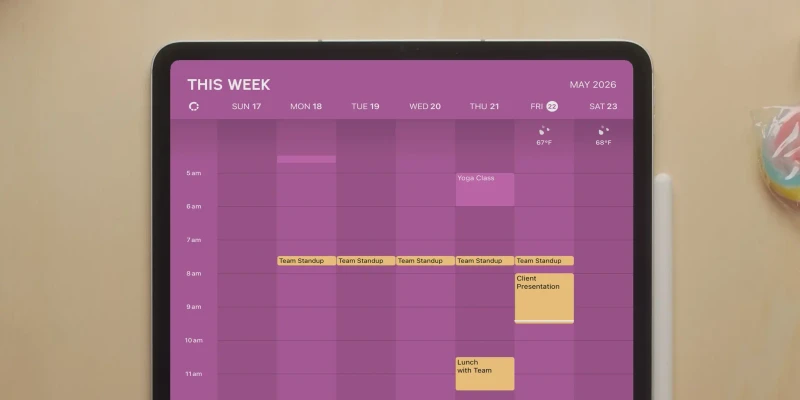
A new Extra Large widget
The Extra Large widget puts more of your schedule on the Home Screen at once.

Rebuilt Shortcuts
We rewrote Timepage’s Shortcuts. In the Shortcuts app you’ll find Daily Briefing, Countdown, Jump to Date, Check Invitations, Duplicate Event, Select Theme and Today in History.
A redesigned Daily Briefing
Daily Briefing got a redesign. Apple Intelligence writes the summary, and you get more detail on weather and the events that actually matter. Long press the notification to see your whole day, including scheduled Actions. Pick your briefing time under Notifications > Daily Briefing in the main menu.

What’s new in Actions 3.10
Actions 3.10 adds voice control, a full-screen widget, and rebuilt Shortcuts.
Talk to Actions with Siri
Actions now works with Siri, so you can capture and manage tasks without opening the app.
- Add tasks by voice, straight into the right list. “Add candles and paper cups to my shopping list in Actions.”
- Ask what’s due. “What do I need to do today in Actions?”
- Tick things off and reschedule without opening the app.
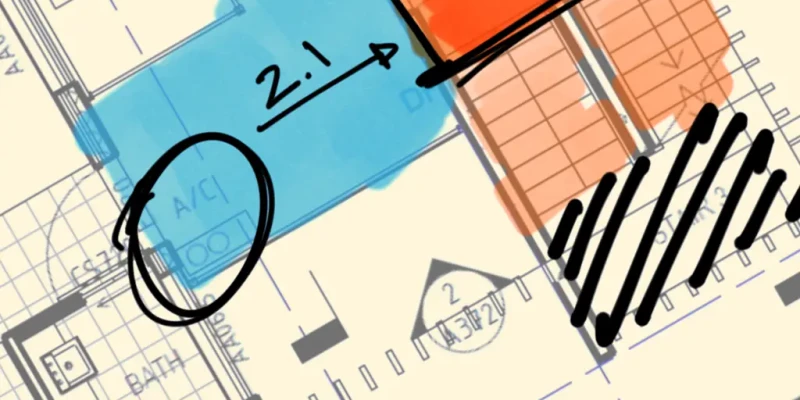
- Siri works across apps and reads what’s on screen. Find a handwritten list in a Flow notebook and Siri can add it to Actions as tasks.
A new Extra Large widget
The new Extra Large widget shows more of your schedule and lists at once. The Schedule widget can display any list. Tap a list on the right edge to switch, so your shopping list can sit on the Home Screen next to your calendar.
Rebuilt Shortcuts
We rewrote Actions’ Shortcuts. In the Shortcuts app you’ll find Create Action, Create List, Create From Reminders, Open List, Get Actions, Get Lists, Daily Briefing, Completed Actions and Spring Clean.
Get the update
Both updates are out now. If you’re already on Actions or Timepage, try asking Siri to add something before you open the app. The Extra Large widget is worth a spot on your Home Screen even if you rarely use widgets.